Support requests
Issues members raise on the store page — the list and filters, viewing a request, replying to the member with an email notice, and updating the status
Support requests are questions members raise on the store page, such as a damaged item, a billing question, or receiving something different from what they ordered. Here you read the request, reply to the member, and update its status.
Both store sites and guesthouse sites have this page.
Support requests need a contact email first
Notification emails for new support requests go to the Email in "Profile" in Store settings. Without that contact email, the support request feature cannot be used.
Support request list
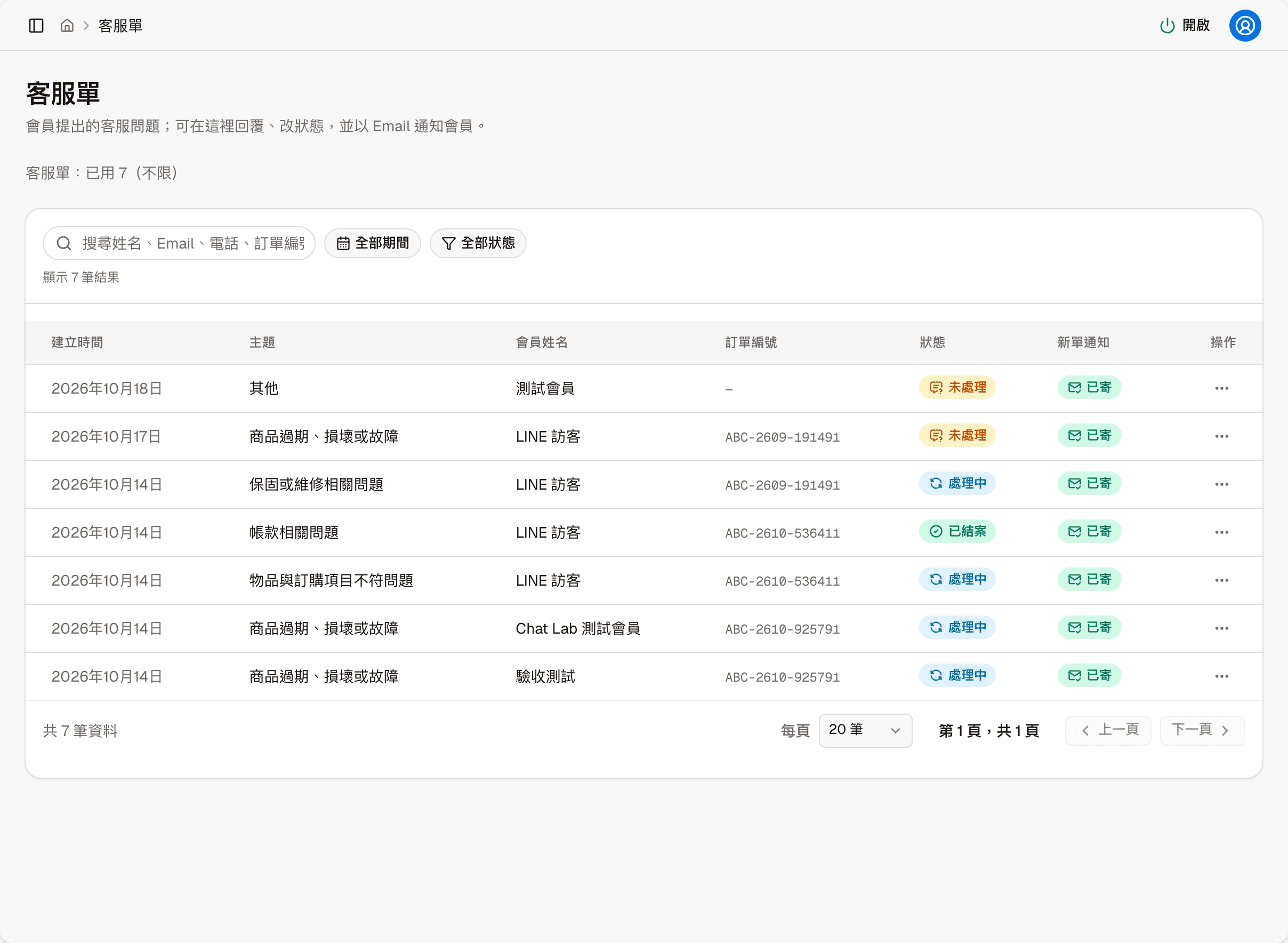
"Support requests: N used" above the list relates to your plan's support request limit; see Subscription.
| Column | Shows |
|---|---|
| Created | The date the member raised it |
| Topic | The issue type the member chose, for example "Expired, damaged, or faulty item", "Billing issue" or "Other" |
| Member | The member who raised it |
| Order no. | The related order the member specified; "—" if none |
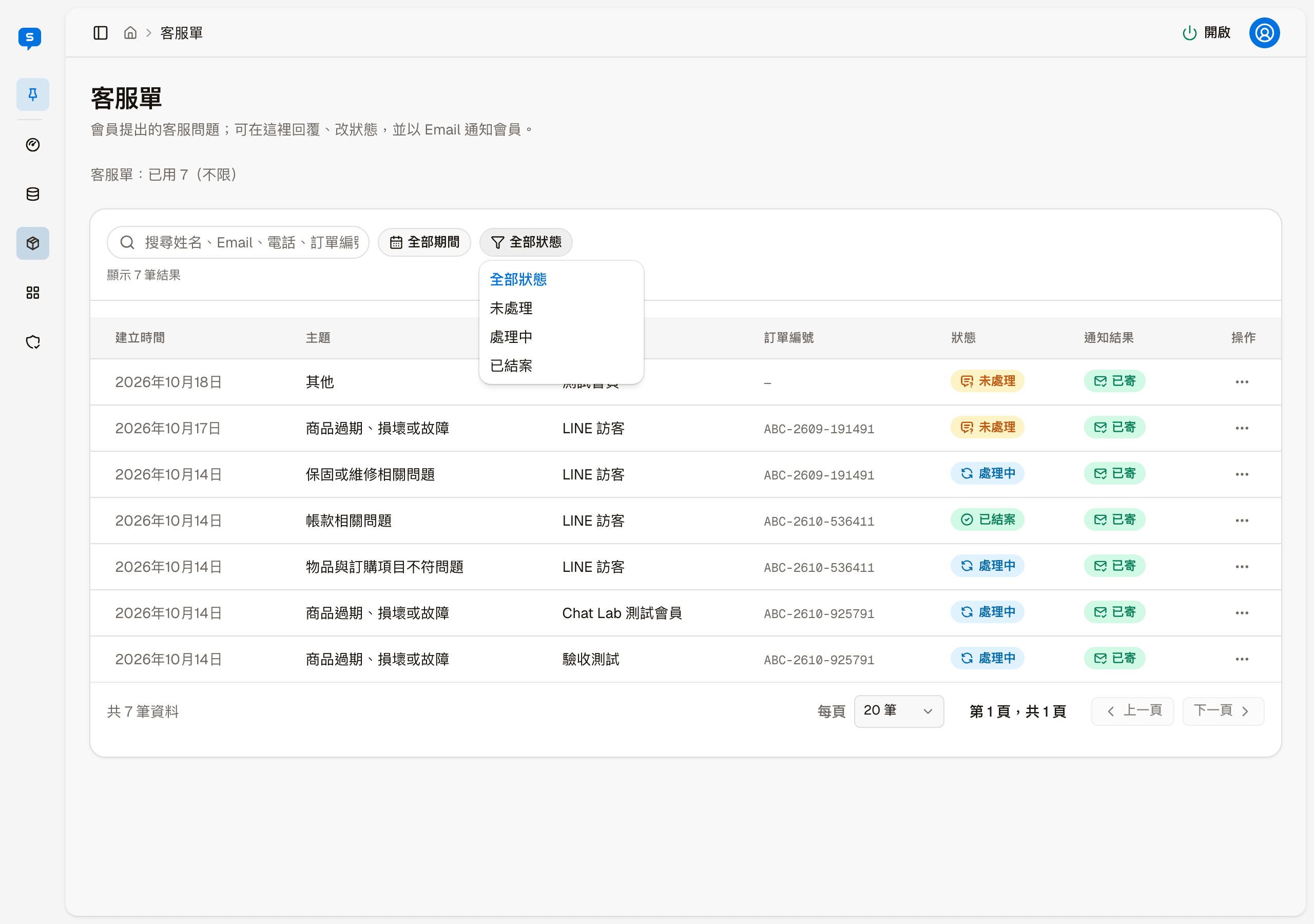
| Status | Open, In progress or Closed |
| New request email | Whether the notification email for the new request was sent |
At the top you can search by name, email, phone, order number or description, and filter by period and status. "More actions" on each row only has "View details".
Support request details
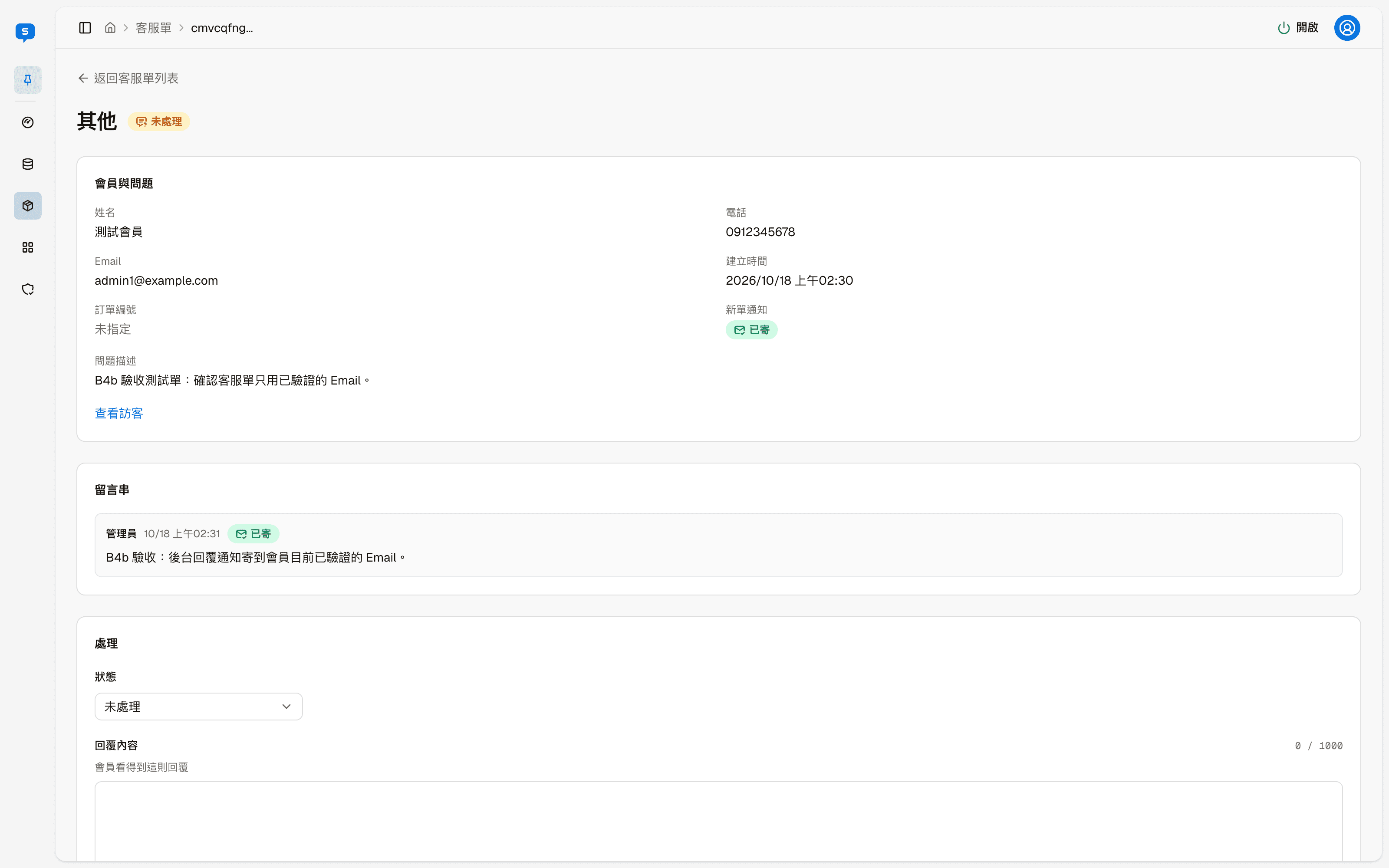
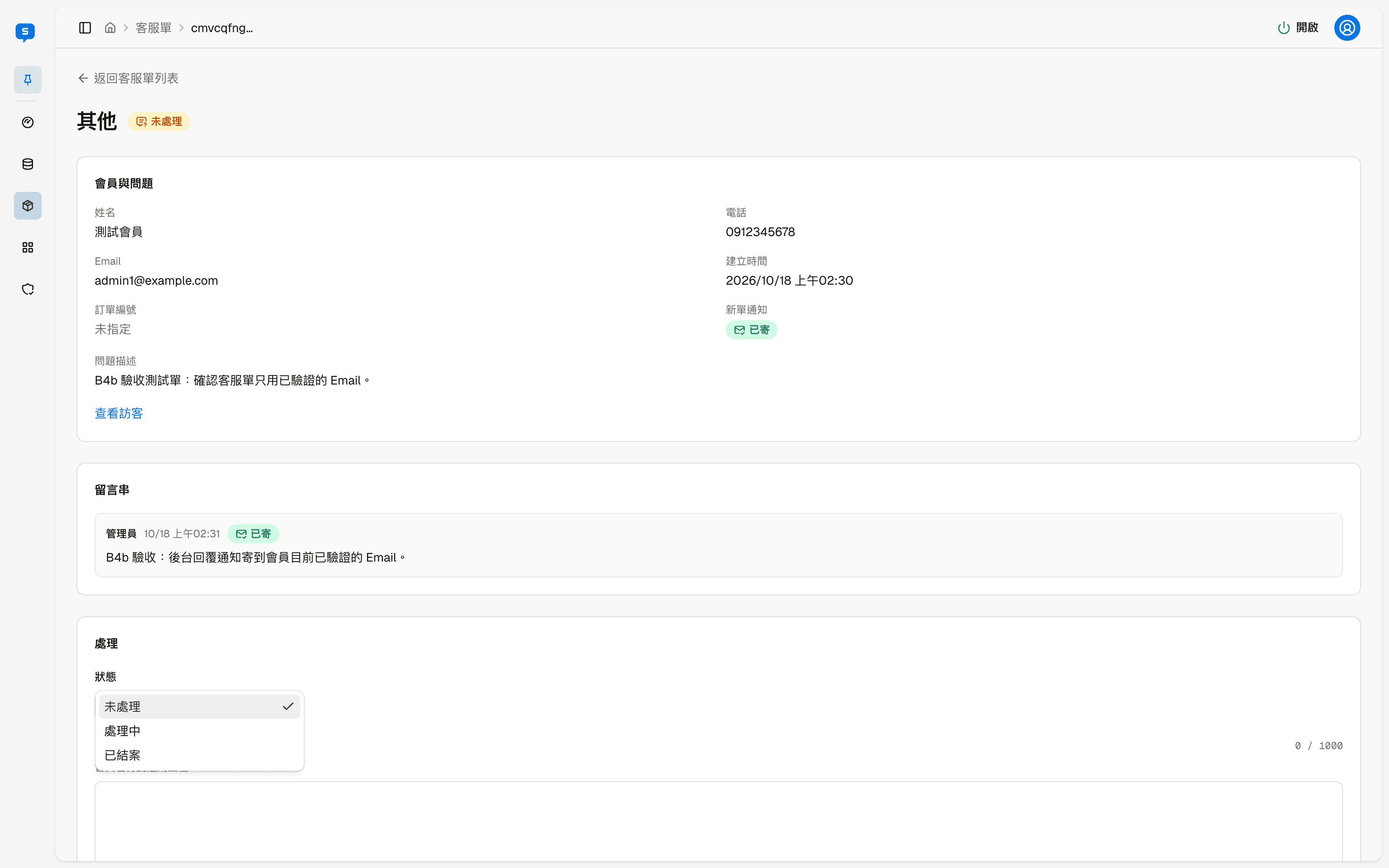
The header shows the topic and current status; "Back to support requests" returns to the list. Below are three blocks:
| Block | Shows |
|---|---|
| Member and issue | Name, phone, email, created time, the related order number, whether the new request email was sent, and the member's description of the issue. "View visitor" opens this member's visitor details |
| Messages | Earlier replies, each marked with who replied, when, and whether the email notice was sent |
| Handle | Update the status and write a reply |
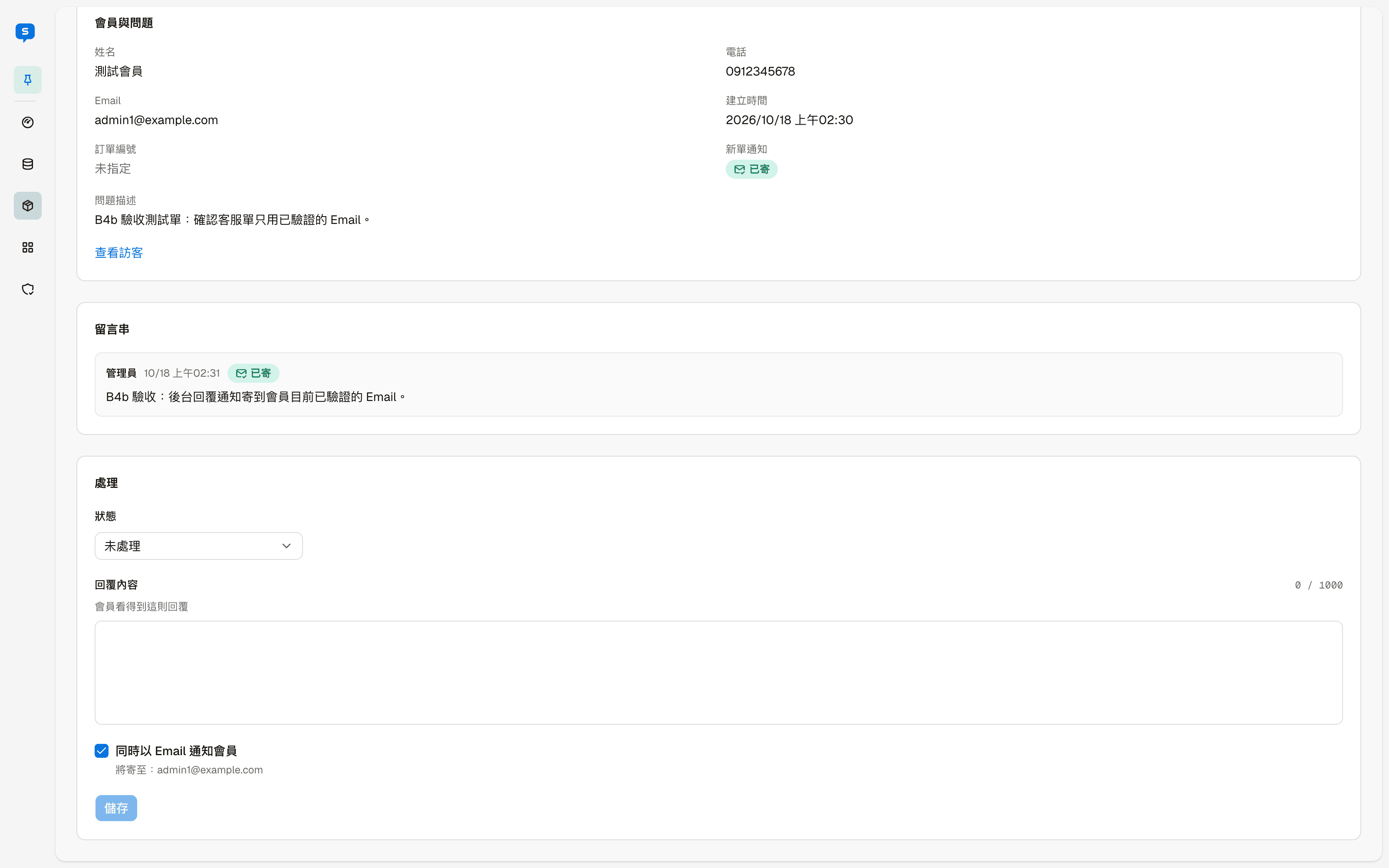
Fields in the Handle block:
| Field | Description |
|---|---|
| Status | Open, In progress or Closed |
| Reply | Up to 1000 characters; the member can see this reply |
| Also notify the member by email | When checked, an email is sent to the member after saving; the address it goes to is shown below |
Click "Save" when you are done. The reply is added to Messages.
Store orders
Orders customers place on the store page — the list and filters, order details, changing the status and tracking number, notifying customers, exporting and printing, and the order number format
Payments & Shipping
The payment and shipping methods customers can choose at checkout — setting up cash on delivery, ATM transfer and LINE Pay, and shipping fees, free shipping and limits