Subscription
Your current plan and billing cycle, resource usage this period, and the total limits for the knowledge base, products and more
This page shows your plan, billing cycle, usage this period and each limit. The page is read-only. Plans are assigned by your service provider; to change plans, contact your service provider.
Two kinds of limits, with different effects when reached
- Resource usage (conversations, voice messages, image generations) — counted again each billing period. When conversations run out, the chat service stops
- Total limits (knowledge entries, products, file storage, orders, support requests) — cumulative counts that do not reset each period. Reaching a limit only stops you from adding more of that item; the chat service is not affected
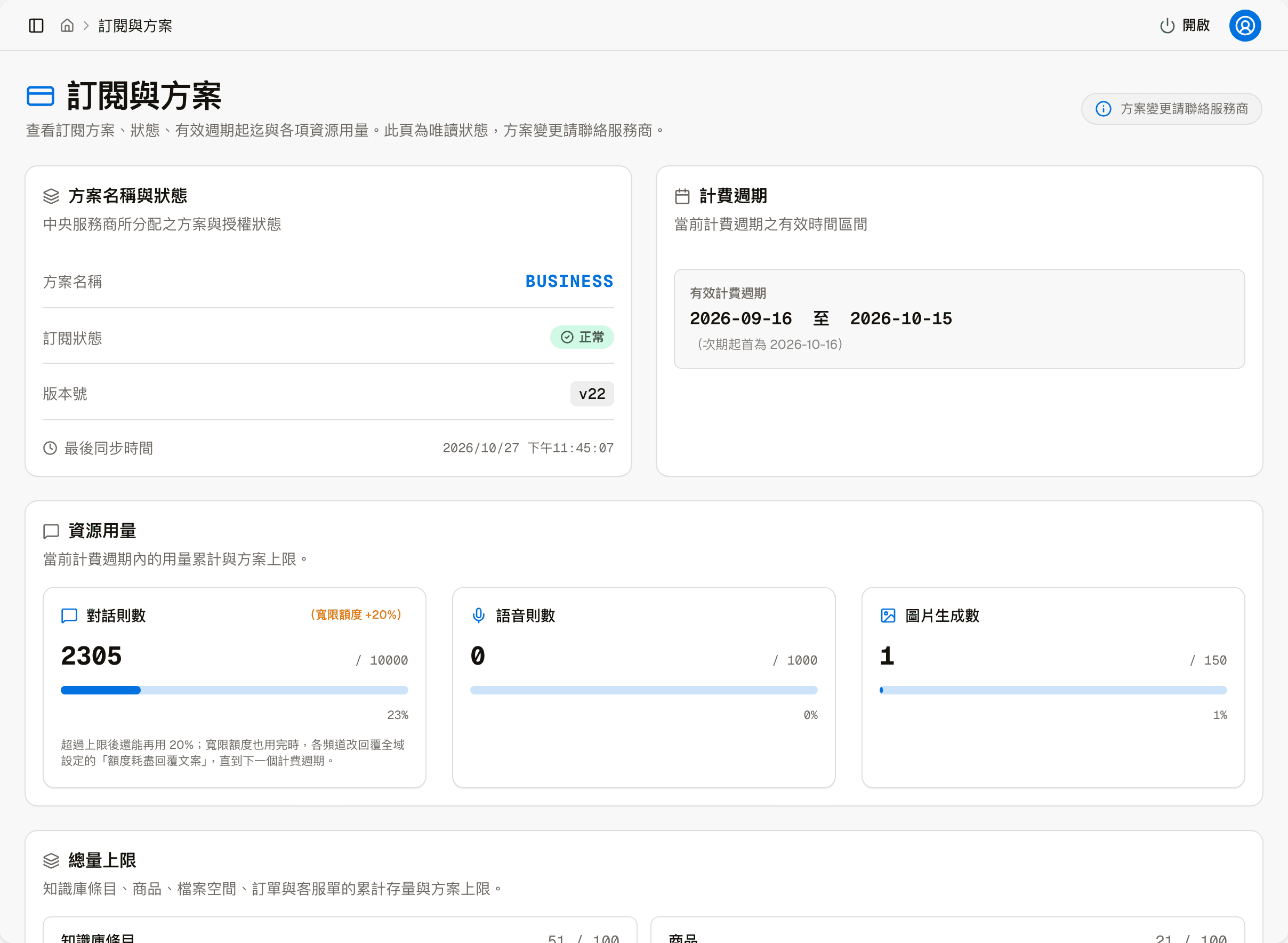
Plan name and status
| Item | Shows |
|---|---|
| Plan name | The plan you are on |
| Subscription status | For example "Active" |
| Version | A sequence number that goes up by 1 each time your service provider updates your subscription (for example, changing the plan, adjusting limits or the billing cycle). It only concerns your subscription; it is not the platform software version, and the number differs from site to site |
| Last synced | The last time the plan details were fetched from your service provider |
Billing period
Shows the start and end dates of the current period, and the start date of the next one. When the current period ends, resource usage is counted again from the next period.
Resource usage
Three cards — Conversations, Voice messages and Image generations — each showing what has been used this period, the limit and the percentage.
On some plans, "(Grace allowance +N%)" appears next to Conversations. This means the plan has a grace allowance: when conversations go over the limit, the system notifies admins right away, but the chat service does not stop immediately; you can use another N% of the limit (for example, with a limit of 10,000 and a 20% grace allowance, the service stops at 12,000), which gives you time to decide what to do.
When this period's conversations run out
The chat service stops, and every chat channel replies with the "Quota exhausted reply text" from Settings until the next period starts. Admin features not related to conversations keep working as usual.
Total limits
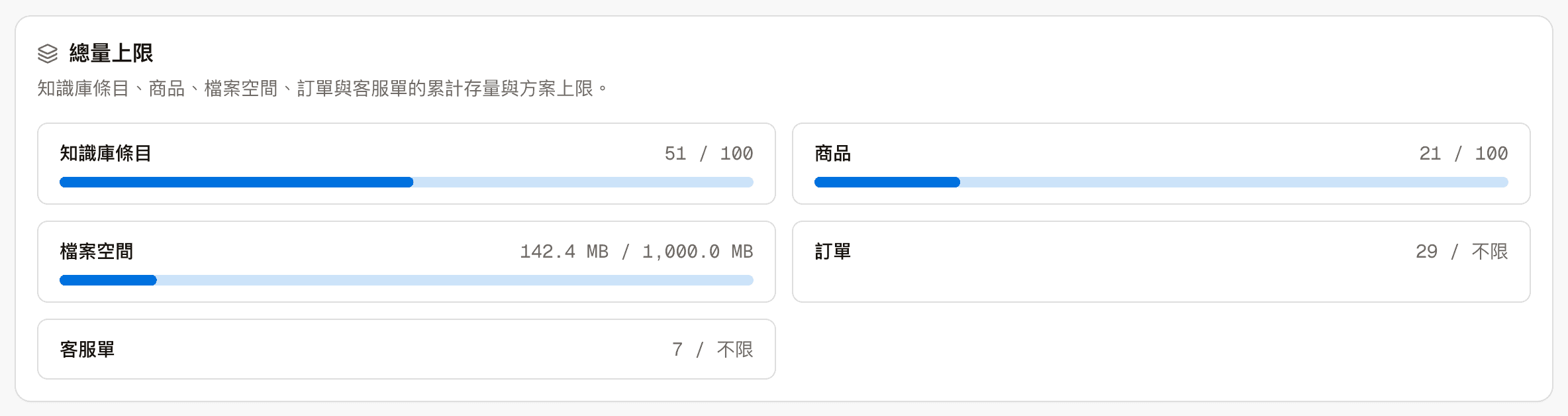
The current cumulative count of each item and the plan's limit; items whose limit shows "Unlimited" have no limit on their count.
| Item | Counts |
|---|---|
| Knowledge entries | The number of entries in the knowledge base |
| Products | The number of products |
| File storage | The space images take up, both uploaded and AI-generated; the same as storage usage in Image management |
| Orders | The cumulative number of store orders |
| Support requests | The cumulative number of support requests |
Products, orders and support requests only apply to sites using a store-related industry template.
Once a limit is reached, you can no longer add that item (for example, no more products or knowledge entries); existing data and the chat service are not affected.