Appearance
The store page's layout and colors — the Classic and Card layouts, color presets, and fine-tuning the colors of text and icons
This section sets the store page's layout and colors.
A new layout shows after saving; colors show right away
- After changing the layout, click "Save and preview" for the preview on the right to switch to the new layout
- When adjusting colors, the preview on the right shows them immediately, but they are not saved yet
- Either way, click "Publish" for the store page customers see to change; see the overview
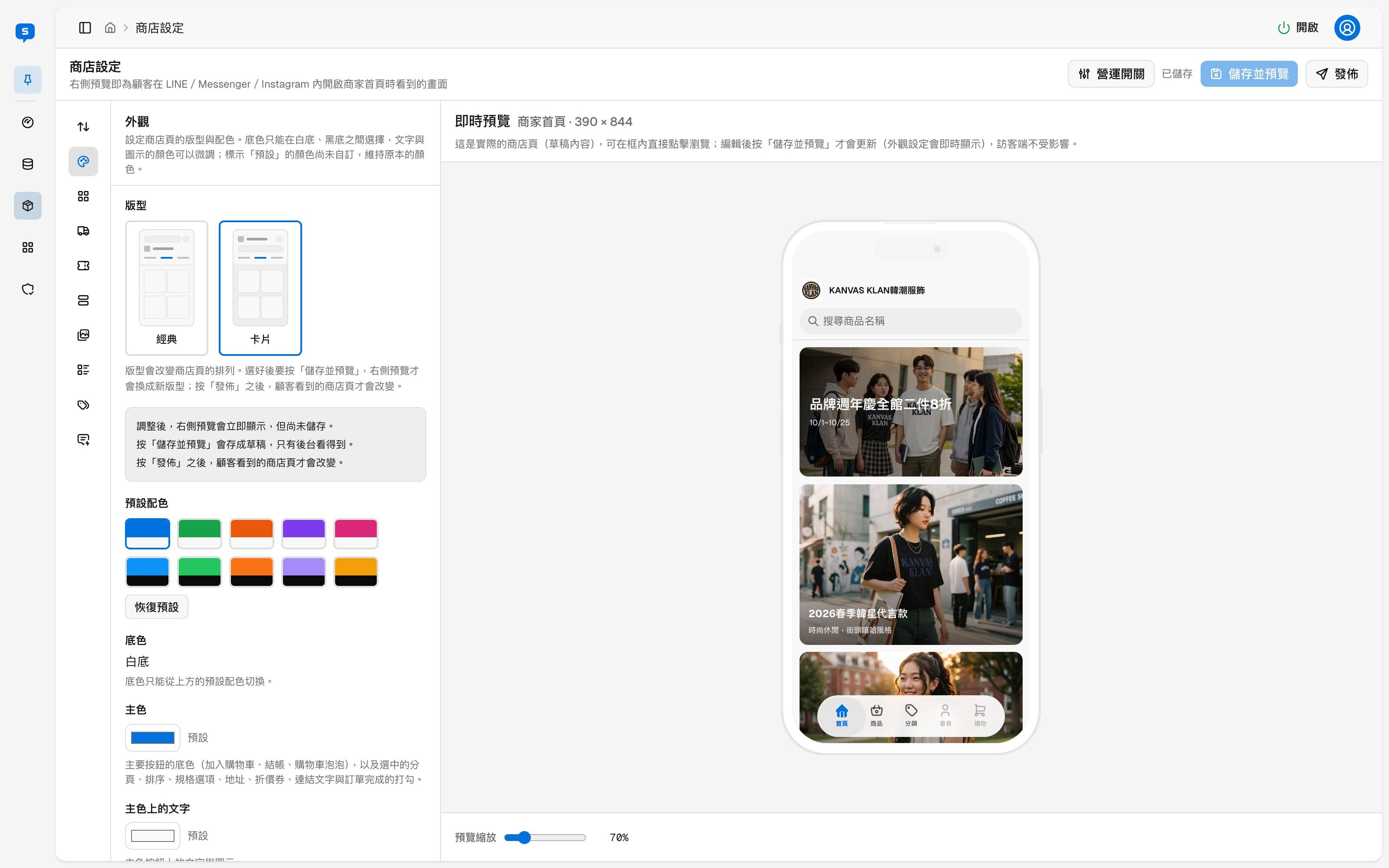
Layout
There are two layouts, Classic and Card, which change how the store page is arranged.
Color presets
Applies a whole set of colors at once. The five presets in the top row have a white background, and the five in the bottom row have a black background. The store page's background color can only be switched here, between white and black; there is no separate setting.
"Reset to default" returns the colors to their default values.
Individual colors
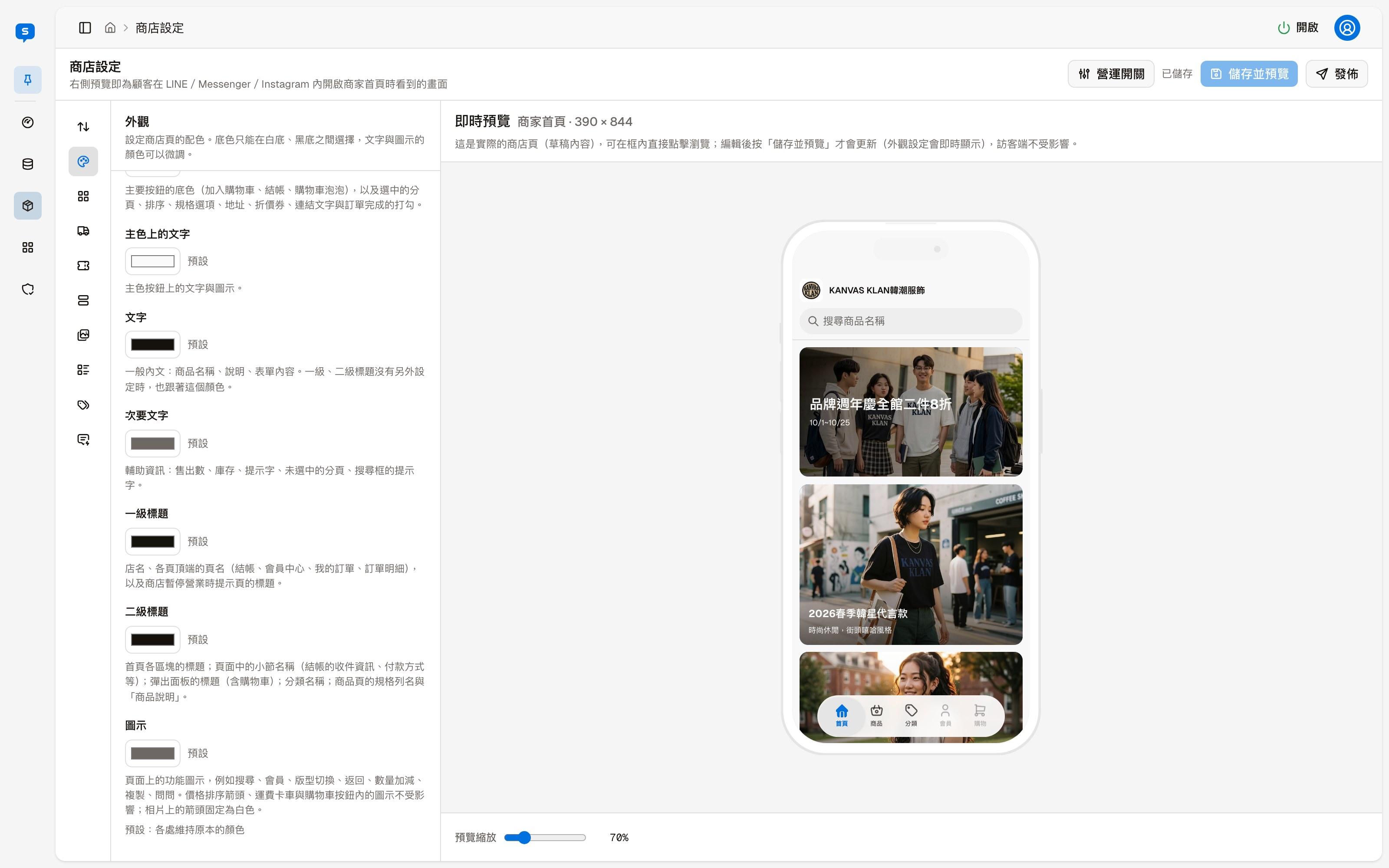
After applying a preset, you can fine-tune the colors of each part: click a color swatch to choose a color. "Default" next to a swatch means that item keeps its original color.
| Item | Affects |
|---|---|
| Primary color | The background of the main buttons (add to cart, checkout, the cart bubble), plus the selected tab, sort option, specification option, address and coupon, link text, and the check mark when an order is completed |
| Text on primary | Text and icons on primary-color buttons |
| Text | General body text: product names, descriptions and form content. Level 1 and level 2 titles also use this color when they are not set separately |
| Secondary text | Supporting information: sold counts, stock, hints, unselected tabs, and the search box placeholder |
| Level 1 title | The store name, the page name at the top of each page (checkout, member center, my orders, order details), and the title of the notice page shown when the store is paused |
| Level 2 title | The titles of home page sections, sub-section names within pages, titles of pop-up panels (including the cart), category names, and the specification row names and "Product description" on product pages |
| Icons | Feature icons such as search, member, layout switch, back, quantity plus and minus, copy and ask. The price sort arrow, the shipping truck and the icon inside the cart button are not affected; the arrows on photos are always white |
Home page layout
The order and on/off switches of the store home page sections, and the settings for the three content sections — promo banners, photo gallery and product lists
Profile
The merchant name, logo, introduction, order terms, contact information, opening hours, and the help categories for the store page chat